Pixalera
Compare Pixalera

Compare Pixalera with leading social media tools

Every comparison below is written to help you choose, not to win an argument. Each one covers what the other tool genuinely does well, where Pixalera works differently, and which creator or team each one suits. Where a capability couldn't be confirmed from public product pages, we say so instead of guessing.

18 tools · 3 categories · updated on a rolling review

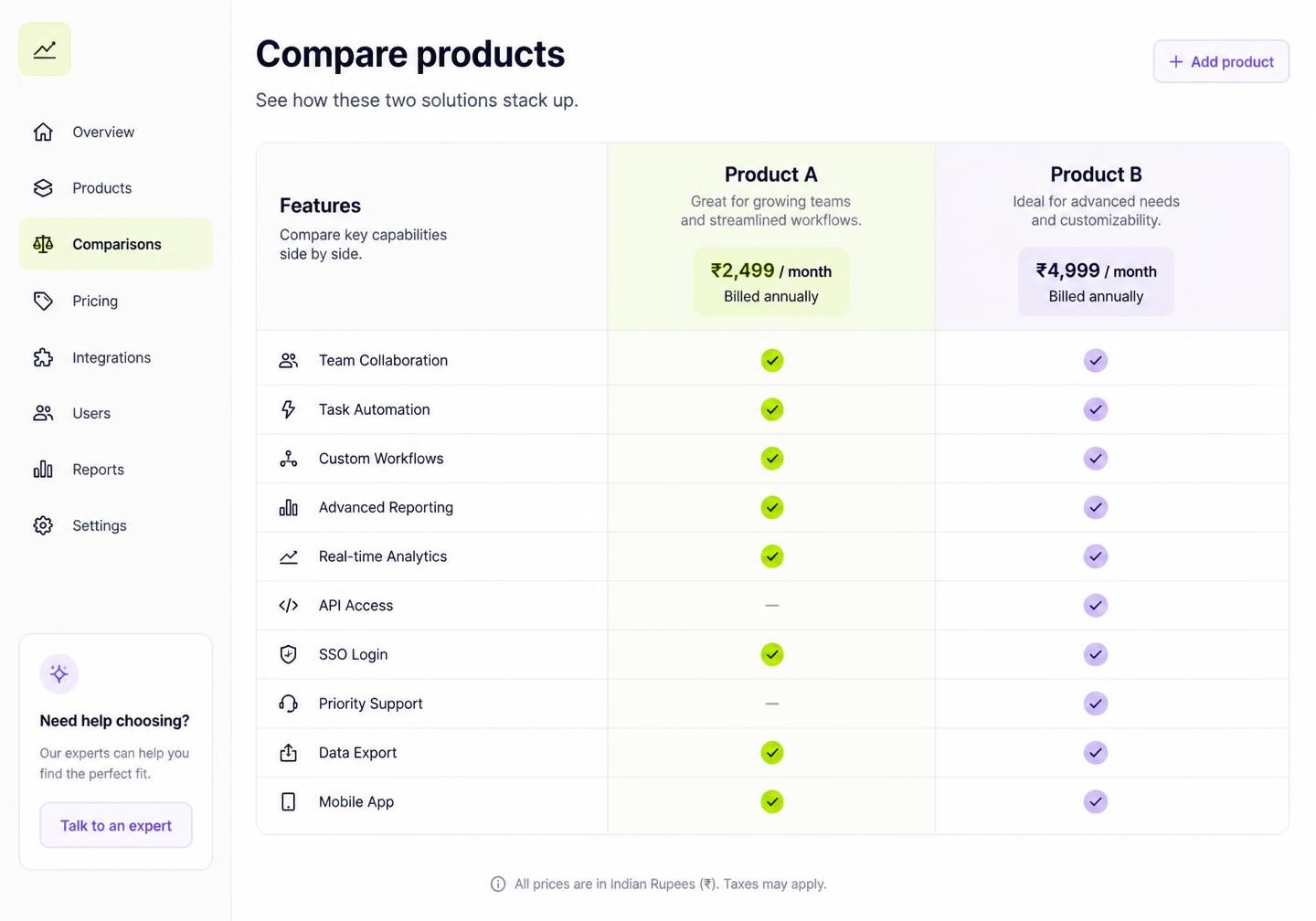
Side-by-side comparison table of two social media tools with feature checkmarks and pricing

18

Tools compared across scheduling, DM automation and commerce

4-in-1

Scheduler, AutoDM, AI Studio and storefront in one plan

₹499

Starting price per month, billed in your currency with UPI support

0

Invented weaknesses — unverified claims are labelled, not filled in

How we compare

The rules behind every comparison

What they do well, first

Every comparison opens with the rival's genuine strength. If a tool is the best at grid planning or enterprise listening, we say so plainly.

No invented weaknesses

Where a capability can't be confirmed from public product pages, we mark it unverified instead of guessing — including for smaller tools.

Total cost, not sticker price

We compare the full stack: scheduler plus DM tool plus AI plus link page, versus a single Pixalera plan in your currency.

At a glance

What a typical tool in each category covers

A category-level view, not a verdict on any single product — open a comparison page for the specifics of that tool.

CapabilityPixaleraTypical schedulerTypical DM toolTypical creator store
Multi-network scheduling (8 networks)
Instagram AutoDM & comment triggers
AI captions, images and voiceovers
Unified inbox for DMs, comments, mentions
Creator store with UPI / Razorpay checkout
Post-to-sale revenue attribution
INR pricing from ₹499/month

Category 01

Scheduling & management

Publishing tools that queue posts across networks. Most do scheduling well; few attach automation or revenue to the post.

Pixalera vs Buffer

The classic, deliberately simple publishing queue.

Buffer is strongest at
The cleanest, fastest scheduling experience in the category.
Where Pixalera differs
Pixalera keeps Buffer's simple queue but adds keyword-triggered Instagram DMs, so the reel you schedule on Monday is already replying to commenters by Tuesday without a second subscription.
Who each suits
Buffer suits someone who wants a clean queue and nothing else — no automation, no commerce, no attribution.

Pixalera vs Hootsuite

The enterprise suite built on streams, listening and governance.

Hootsuite is strongest at
Breadth — streams, listening, integrations, permissions and governance at organisation scale.
Where Pixalera differs
Pixalera trades approval matrices and listening dashboards for a workspace a solo creator can run end to end in an afternoon.
Who each suits
Hootsuite suits large multi-team organisations that need listening, governance and procurement-friendly contracts.

Pixalera vs Later

Visual-first planning built around the Instagram grid.

Later is strongest at
Seeing exactly how your Instagram feed will look before you post.
Where Pixalera differs
Pixalera previews each network too, then automates the replies and DMs that a published post generates.
Who each suits
Later suits aesthetic-led Instagram accounts where feed composition is the main planning problem.

Pixalera vs Publer

The bulk-publishing workhorse.

Publer is strongest at
Bulk uploads and recurring, evergreen publishing at high volume.
Where Pixalera differs
Pixalera handles bulk queues too, then attaches AutoDM and checkout so a busy calendar produces leads rather than only impressions.
Who each suits
Publer suits publishers and agencies whose main problem is moving a large volume of posts efficiently.

Pixalera vs Metricool

Analytics-led scheduling with deep reporting.

Metricool is strongest at
Depth of cross-channel analytics and client-ready reports.
Where Pixalera differs
Pixalera reports revenue per post, per keyword and per DM flow rather than only reach, engagement and follower deltas.
Who each suits
Metricool suits reporting-led marketers and agencies who live in dashboards and client PDFs.

Pixalera vs SocialPilot

Agency-shaped scheduling with client management.

SocialPilot is strongest at
Managing many client brands from one login.
Where Pixalera differs
Workspaces, roles, approvals and client reports are included in standard Pixalera plans rather than gated to agency tiers.
Who each suits
SocialPilot suits established agencies with many clients and formal approval chains.

Pixalera vs SocialBee

Category-based evergreen content recycling.

SocialBee is strongest at
Evergreen category recycling that keeps a queue permanently full.
Where Pixalera differs
Pixalera recycles top performers based on revenue and engagement instead of rotating an entire category evenly.
Who each suits
SocialBee suits B2B and thought-leadership accounts with a large evergreen library.

Pixalera vs Sprout Social

Enterprise reporting, listening and social customer care.

Sprout Social is strongest at
Enterprise-grade reporting and social customer-care workflows.
Where Pixalera differs
Pixalera's unified inbox handles DMs, comments and mentions for creator-scale volume without per-seat pricing.
Who each suits
Sprout Social suits enterprise brands with support desks, compliance needs and dedicated analysts.

Pixalera vs Loomly

A brand calendar with ideas and structured approvals.

Loomly is strongest at
A structured, idea-prompted calendar with approvals baked in.
Where Pixalera differs
Pixalera's Ideas board feeds the AI composer directly — an idea becomes a drafted, previewed, scheduled post in one flow.
Who each suits
Loomly suits process-driven brand teams that need every post reviewed before it ships.

Pixalera vs Planable

Collaboration-first previews and client feedback.

Planable is strongest at
The smoothest client feedback and approval experience on realistic previews.
Where Pixalera differs
Pixalera includes previews and comments, then continues into automation, inbox and revenue reporting.
Who each suits
Planable suits agencies whose main friction is getting client sign-off quickly.

Pixalera vs Post Bridge

A lightweight, low-cost scheduling tool.

Post Bridge is strongest at
Simple, inexpensive cross-posting.
Where Pixalera differs
Pixalera publishes its full feature list, channel limits and pricing so you can evaluate before signing up.
Who each suits
Post Bridge suits creators who want the cheapest possible way to cross-post.

Pixalera vs Postiz

The open-source scheduler with the longest channel list.

Postiz is strongest at
Breadth of channels and a genuinely self-hostable codebase.
Where Pixalera differs
Pixalera is fully managed: API app reviews, token refreshes and version upgrades are handled for you, so a viral week does not become a server problem.
Who each suits
Postiz suits technical users who want maximum channel coverage and are happy to run and maintain their own instance.

Pixalera vs Post Planner

Budget scheduling with built-in content discovery.

Post Planner is strongest at
Cheap plans, content recommendations and evergreen recycling.
Where Pixalera differs
Instead of curating third-party links, Pixalera's Ideas board and AI Studio build the next month of posts from your own best-performing content and niche.
Who each suits
Post Planner suits a small business that mainly needs cheap, steady posting and help finding things to share.

Category 02

Auto DM & Instagram automation

Tools that turn comments and keywords into DMs. The trade-off is usually flow-building depth versus how much else the tool covers.

Pixalera vs Manychat

The deep chat-marketing platform with visual flow building.

Manychat is strongest at
Branching, multi-channel conversation flows with deep integrations.
Where Pixalera differs
Pixalera AutoDM is keyword-first: choose the post, set the trigger word, write the DM. No canvas, no nodes.
Who each suits
Manychat suits marketers building complex, branching, multi-channel funnels including WhatsApp and SMS.

Pixalera vs LinkDM

Comment a keyword, get a link — automated.

LinkDM is strongest at
The single simplest comment-to-link automation on Instagram.
Where Pixalera differs
Pixalera delivers the link, tracks the click, captures the lead, follows up and reports the sale it produced.
Who each suits
LinkDM suits creators whose only automation need is delivering a link on a keyword.

Pixalera vs LinkPlease

Instagram-only auto-replies for comments and messages.

LinkPlease is strongest at
Simple Instagram comment and message auto-replies.
Where Pixalera differs
The same tool that fires the DM also schedules the post that triggered it, so campaigns are planned once.
Who each suits
LinkPlease suits creators who are happy with their scheduler and only want Instagram automation.

Pixalera vs QuickDM

No-frills Instagram DM automation.

QuickDM is strongest at
Getting one Instagram automation live in minutes.
Where Pixalera differs
Triggers, follow-ups, lead capture and revenue per keyword replace a one-shot auto-reply.
Who each suits
QuickDM suits creators testing whether DM automation is worth it at all.

Pixalera vs InstaDM

Basic Instagram auto-replies.

InstaDM is strongest at
Simple automatic replies on Instagram.
Where Pixalera differs
Automation handles the first message, and anything that needs a human continues in a shared inbox with tags and saved replies.
Who each suits
InstaDM suits accounts that only need a canned reply to common questions.

Category 03

Creator & social commerce

Monetisation-first products. They sell well but usually stop short of publishing and automation.

Pixalera vs Linktree

The default link-in-bio page.

Linktree is strongest at
Being the fastest, most familiar way to put many links behind one bio URL.
Where Pixalera differs
Pixalera's bio page sells courses, sessions and digital products with UPI and Razorpay checkout built in.
Who each suits
Linktree suits anyone who needs a tidy list of links and nothing more.

Pixalera vs SuperProfile

A creator monetisation hub.

SuperProfile is strongest at
Turning a bio link into an creator storefront with local payments.
Where Pixalera differs
Pixalera schedules the content and runs the DM automation that sends people to the store in the first place.
Who each suits
SuperProfile suits creators who only need to sell and already handle content elsewhere.
Why creators consolidate

One plan instead of four subscriptions

The most common Pixalera switch isn't from one competitor — it's from a stack. A scheduler for posting, a DM tool for Instagram, an AI tool for captions and images, and a link page for selling.

SchedulerAutoDMAI StudioUnified inboxCreator storeRevenue analytics
  • Publish to 8 networks from one calendar
  • Keyword-triggered Instagram DM automation
  • AI captions, hooks, images and voiceovers
  • DMs, comments and mentions in one inbox
  • Storefront with UPI and Razorpay checkout
  • Revenue attributed to each post and DM flow
  • best-time slots in your timezone and a holiday calendar
  • Hindi, your audience's language and regional-language support
  • Workspaces, approvals and client reporting
  • Transparent pricing with no per-seat surprises

Automation included

AutoDM is part of the plan, not an add-on subscription — the reason most scheduler users switch.

Selling built in

A storefront and checkout sit next to your calendar, so traffic from a reel has somewhere to convert.

Fair, transparent pricing

Plans in your currency from ₹499/month, UPI-friendly billing, and no dollar conversion or card surcharges.

Frequently asked questions

How do you keep these comparisons fair?+

Each page is written from the competitor's public product and pricing pages, leads with what they do best, and marks anything unconfirmable as unverified. We don't quote private benchmarks or screenshots we can't source.

Which tools does Pixalera actually replace?+

For most creators: a scheduler, an Instagram DM tool, an AI writing or image tool, and a link-in-bio storefront. That typically consolidates ₹4,000–₹8,000/month of subscriptions into one plan from ₹499/month.

Is Pixalera the right choice for agencies and enterprises?+

Small agencies and creator-led brands, yes — workspaces, approvals and client reporting are included. If you need enterprise governance, social listening at scale or formal SLAs, a suite like Hootsuite or Sprout Social will fit better and we say so on those pages.

Do you compare pricing directly?+

We compare published list pricing at the time of writing and always link to the competitor's site, because plans change. Currency matters too: dollar-priced tools land 15–25% higher in your currency after conversion and card fees.

I'd rather see replacement shortlists than head-to-heads.+

Use the alternatives hub. Comparison pages go deep on two products; alternatives pages cover why people outgrow a tool, what to verify before migrating, and which options — including non-Pixalera ones — suit which workflow.

How often are comparisons updated?+

We review each page on a rolling schedule and after any major competitor release. Feature availability and pricing on rival products can still change between reviews, so verify anything decision-critical on their site.

Which platforms does Pixalera support?+

Publishing works for Instagram, Facebook, YouTube, Threads, Bluesky and Pinterest. Auto-DM and comment automation cover Instagram and Facebook, and the unified inbox also pulls in YouTube comments. LinkedIn, X (Twitter) and TikTok are on the roadmap.

Is there a free plan?+

Yes, and it is free forever: 1 connected channel, 3 scheduled posts a month, 25 Auto-DM sends and 10 AI credits — no credit card required. Paid plans start at ₹499/month ($5.22), with your first month from ₹99 ($1.04).

What payment methods does Pixalera accept?+

UPI, all major debit and credit cards, net banking and wallets, processed securely through Razorpay. Monthly renewals use an AutoPay mandate you can cancel any time.

Is Pixalera safe for my social accounts?+

Yes. Pixalera connects only through the official platform APIs (Meta, YouTube and others) using their own permission screens — never your password — and respects each platform's rate limits, including one automated Instagram DM per person per 24 hours.

Comparison information is based on publicly available product information and may change as products evolve. Check the official product website for the latest pricing and feature availability.
Try Pixalera before you commit to anything

Connect a channel, schedule a week, switch on one AutoDM flow and compare it against your current stack.

Get started for free

No credit card required